
What is 502 Bad Gateway?
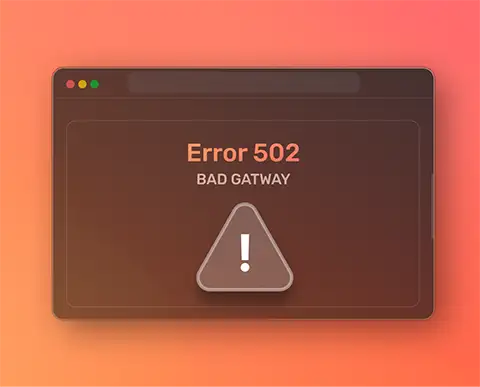
Status code 502 Bad Gateway indicates that the gateway or proxy server has received Incorrect or incomplete reply from another server that was supposed to process your request.
In many cases, multiple servers work together to deliver content. The server you first connect to acts as a gateway between you and other servers that host the requested resource. If one of these servers is unable to respond correctly – for example because it is unavailable, poorly configured, or has connectivity problems – the gateway server returns the error 502 Bad Gateway.
This error belongs to the group 5xx HTTP status codes:
- number 5 indicates a problem on the server side or in its configuration
- xx serves as an additional code to further describe the type of error
Causes of error 502 Bad Gateway
Error 502 can occur for a number of reasons, among which the most common are:
- browser extensions that interfere with web requirements
- errors or bugs in the website code
- a firewall that blocks legitimate traffic
- wrongly set proxy settings
- overloading the server due to a large number of requests
- network connection problems
- DNS problems that make it impossible to connect to the right server
- Timeout's server application
- bad scripts or faulty code
- wrong server configuration
Different Shapes 502 Bad Gateway Errors
Website owners can customize the error message, so it can vary from page to page. Sometimes even an empty white page without a message can be displayed.
The most common messages that appear are:
- 502 Bad Gateway
- HTTP Error 502
- Error 502
- HTTP 502
- Bad Gateway
- Temporary Error (502)
- 502 Server Error
In some cases, the message also includes the server name:
- 502 Proxy Error
- 502 Bad Gateway Apache
- 502 Bad Gateway NGINX
- 502 Bad Gateway Cloudflare
Some servers also display additional clarifications, such as:
- 502 Service Temporarily Overloaded – the server is currently overloaded
- 502 Bad Gateway - invalid or incomplete response – the server has received a reply that it cannot process
How to solve the 502 Bad Gateway error
Since the causes may be different, it is often necessary to try more solutions. It is recommended to start with simpler steps.
If you are a website visitor, you can try:
- refresh the page
- Verify that the URL is correctly typed
- open a page in a private (incognito) window
- use another web browser
If you own the site or have admin access, you can:
- review error logs
- update the topic and additions
- temporarily deactivate the topic and add-ons
- check proxy server
- temporarily turn off the firewall
- review CDN settings
- increase PHP execution by
- Empty DNS Cache
- contact hosting provider
Refresh the page
Refresh is the fastest and easiest step, especially if the error is caused by a short-term interruption in communication with the server. If the error is repeated, it is necessary to switch to other methods.
Verification of URL
A faulty URL or additional characters can cause an error of 502. Check that the URL leads to an existing resource and that it is written correctly.
Use of a private window
Private or incognito mode prevents extensions and the use of cache and cookies. If the page is loaded correctly in this mode, the problem is likely related to browser extensions or cache.
Using another browser
Settings, add-ons, or saved data in your browser can cause problems. If the site works in another browser, clean the cache and gradually turn off the extensions to find the cause.
Overview of error logs
Logs contain detailed technical information. You can reach them via FTP or Hosting Dashboard. On Nginx servers logs are often found in /var/log/nginx/error.log, and on Apache servers in /var/log/apache2/error.log. With WordPress, records are often found in the wp-content directory. Records corresponding to the time of occurrence of the error can help to detect the cause.
Update and deactivate themes and plugins
Outdated or incompatible topics and additions are a common cause of 502 errors. Update them to the latest version. If the issue persists, temporarily deactivate all plugins and switch to the default WordPress theme. Then turn them on one by one to find out what's causing the problem.
Proxy, firewall and CDN check
Wrong proxy settings, a firewall that blocks legitimate traffic or CDN communication problems can cause 502 errors. A temporary shutdown or configuration check often helps with diagnostics.
Increase PHP Execution Time
If scripts are interrupted due to a time limit, increasing max_execution_time and max_input_time can help. After the changes, the server needs to be restarted.
DNS cache emptying
Outdated DNS records can cause connection problems. Empty the DNS cache allows you to retrieve up-to-date data from the DNS server.
Contacting a hosting provider
If none of these methods solve the problem, contact your hosting provider. They have access to advanced tools and logs and are able to identify the cause of the error more quickly. When reporting, indicate when the error occurs and what steps you have already taken.

 EN
EN  HR
HR  DE
DE